
Clinics and healthcare
Calmer waiting rooms, better informed patients
Show your queue display page beside health tips, clinic news and the time. Patients see what matters; staff change it from the portal.
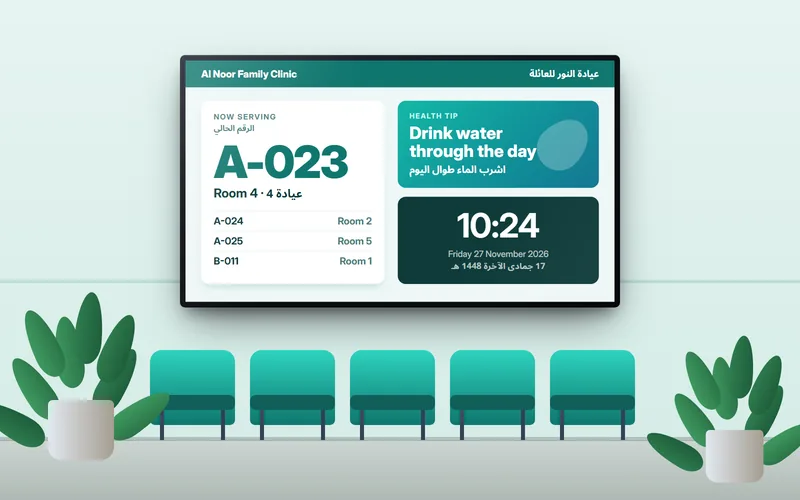
What you can show
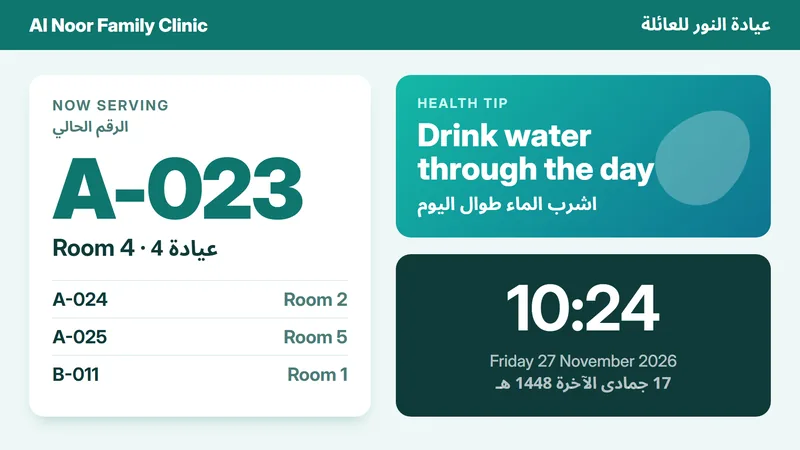
- Your queue page in a zone If your queue system has a web page, play it in one zone and your own content in the others.
- Health tips and campaigns Vaccination drives, check-up reminders and awareness months as slides or video.
- Opening hours and doctors Clinic hours and doctors on duty, scheduled by day.
- Clock with Hijri date The clock item shows the time with the Gregorian and Hijri date.
- Pharmacy promotions Seasonal offers on a portrait screen by the counter.
Why it fits
Emergency message
One switch puts a message or a playlist on every screen, above every schedule.
Private by design
Media sits in private storage and reaches screens only through short-lived signed links.
Keeps playing offline
Cached content and an on-screen schedule mean no blank screens when the network fails.
Questions
Does Telvory Signage include a queue system?
No. It shows your existing queue system's web page in a zone of a layout, next to your own content.
Can we manage several branches?
Yes. Every screen of every branch is in one workspace, each with its own content and schedule.
Try it on your own screens
Free for up to 3 screens, with no logo on your screens.