
Mosques and government
Arabic-first screens for mosques and public services
Show your prayer-time slides, lessons and announcements beside the clock with the Hijri date, or service information in government waiting halls.
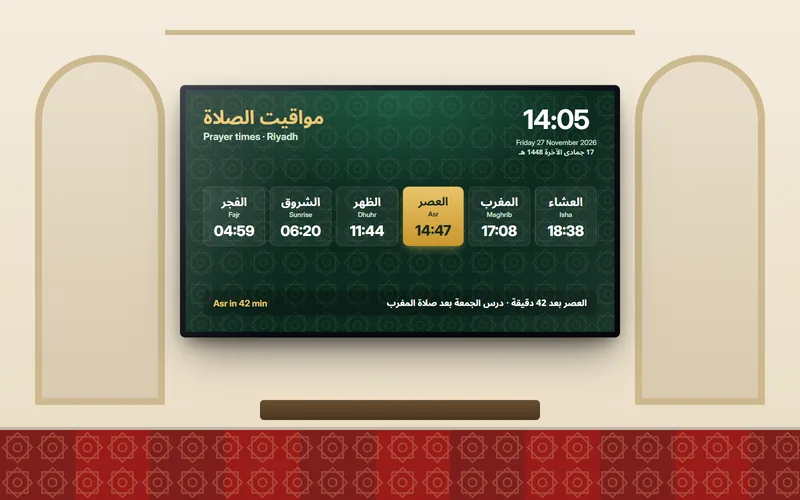
What you can show
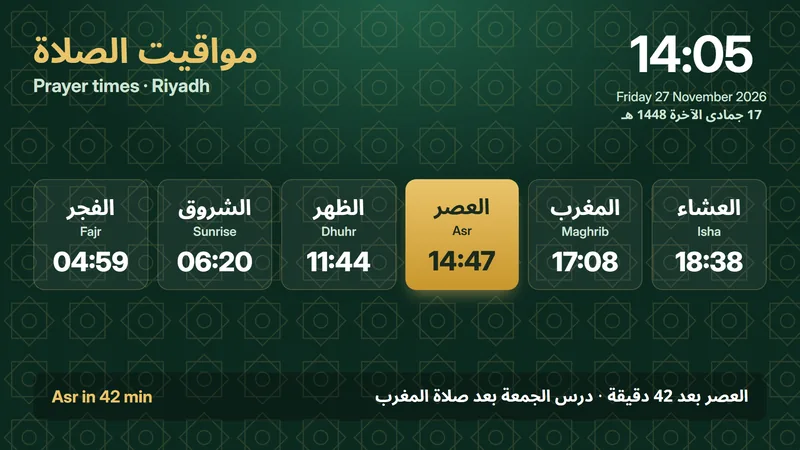
- Prayer times you publish Upload your prayer-time slide or show the web page you already use; the clock item shows the time and Hijri date.
- Lessons and announcements Friday lessons, Ramadan programmes and events, scheduled by date range.
- Service information Documents needed, opening hours and service steps for government waiting halls.
- Awareness campaigns National campaigns and public-service videos.
- Emergency notices One message on every screen, above every schedule.
Why it fits
Arabic done properly
Right-to-left portal and correct Arabic on screens.
Hijri date built in
The clock item shows the Gregorian and the Hijri date.
Screens off when not needed
Full power control on supported devices, black screen on others.
Questions
Does it calculate prayer times?
No. Show the prayer times you publish, as a slide or a web page, next to the built-in clock with the Hijri date.
Where is our data kept?
Media is stored privately and reaches screens only through short-lived signed links; each screen has its own revocable token.
Try it on your own screens
Free for up to 3 screens, with no logo on your screens.